


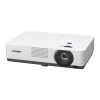
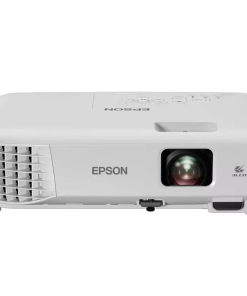
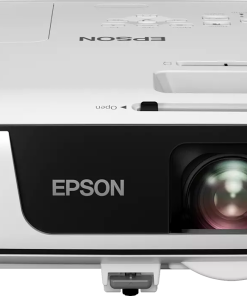
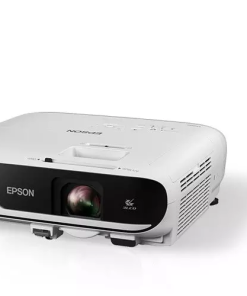
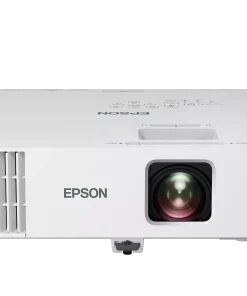
Epson EB‑685W Ultra Short Throw WXGA Projector

KSh 287,000.00 (+ VAT(16%)
- Projection system: 3LCD, 3‑chip technology
- Native resolution: WXGA 1280 × 800 (16:10)
- Aspect ratio: 16:10
- Brightness (color/white): 3,500 lumens (ISO)
- Contrast ratio: 14,000:1
- Throw ratio: 0.28–0.37 (projects 60″–100″ from 0.34–0.60 m)
- Lamp: 250 W UHE, 5,000 h (Normal) / 10,000 h (Eco)
- Lens: Fixed focal, manual focus; digital zoom 1–1.35×
- Keystone: Manual ±3° horizontal/vertical
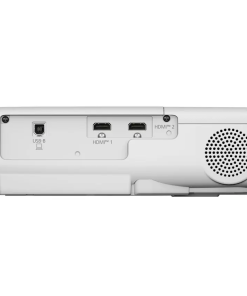
- Inputs: 3× HDMI (1 MHL), composite video, 2× VGA in, VGA out, USB‑A, USB‑B, audio in/out, RJ‑45, RS‑232
- Audio: 16 W mono speaker; microphone input
- Mounting: Tabletop, ceiling, wall (mount sold separately)
Epson EB‑685W Ultra Short Throw WXGA Projector
Designed for classrooms and presentations, the Epson EB‑685W offers a powerful combination of bright, vibrant images and ultra-short throw convenience. With its WXGA resolution and 3,500 lumens of both color and white brightness, this projector delivers crisp, clear visuals with minimal shadow interference—ideal for interactive learning environments or boardroom slideshows.
Product Features
Ultra‑Short Throw Design
Projects a 100″ image from just 11″ away, minimizing shadows and glare during presentations.
High Brightness & Color Accuracy
3LCD technology ensures equally bright color and white light output of 3,500 lumens, producing vivid, lifelike images even in well‑lit rooms.
WXGA Resolution
Native 1280 × 800 (16:10) HD‑ready resolution delivers sharp visuals ideal for text, charts, and crisp video.
Split‑Screen & BYOD Support
Display two inputs simultaneously and enable wireless mirroring from up to four devices, including Chromebooks, iOS, Android, Mac, and PC.
Long Lamp Life
Up to 10,000 hours in Eco mode (5,000 hours in Normal), reducing maintenance costs and downtime.
Built‑in Audio & Connectivity
Includes a 16 W mono speaker with microphone input, plus three HDMI ports (one MHL), USB, composite, VGA, RJ‑45, and RS‑232 control.
Product Specifications
- Projection system: 3LCD, 3‑chip technology
- Native resolution: WXGA 1280 × 800 (16:10)
- Aspect ratio: 16:10
- Brightness (color/white): 3,500 lumens (ISO)
- Contrast ratio: 14,000:1
- Throw ratio: 0.28–0.37 (projects 60″–100″ from 0.34–0.60 m)
- Lamp: 250 W UHE, 5,000 h (Normal) / 10,000 h (Eco)
- Lens: Fixed focal, manual focus; digital zoom 1–1.35×
- Keystone: Manual ±3° horizontal/vertical
- Inputs: 3× HDMI (1 MHL), composite video, 2× VGA in, VGA out, USB‑A, USB‑B, audio in/out, RJ‑45, RS‑232
- Audio: 16 W mono speaker; microphone input
- Power consumption: 373 W Normal / 324 W Eco / 2.2 W Standby (communication on)
- Noise level: 35 dB (Normal) / 29 dB (Eco)
- Dimensions: 14.5″ × 15.8″ × 7.4″ (H×W×D) with feet
- Weight: 12.6 lb
- Mounting: Tabletop, ceiling, wall (mount sold separately)
- Certifications: RoHS, recyclable design; TCO certified; Kensington lock & security bar.
Opt for the Epson EB‑685W if you need bright, shadow‑free projection in tight spaces with long-lasting performance and versatile connectivity.
Ideal Applications
Used widely in classrooms and corporate training environments, the EB‑685W is tailored for:
- Interactive Whiteboards & SMART Boards: Seamless integration with SMART Board M685/885 enhances lesson and group activity delivery.
- Collaborative Learning Zones: Enables simultaneous content sharing from multiple student devices, boosting interactive participation
- Confined or Compact Rooms: The ultra-short throw eliminates need for rear projection, perfect for tight spaces such as huddle rooms and small classrooms.
- Networked Environments: Ideal for campuses and enterprise offices needing centralized control and broadcasting capabilities via EasyMP Monitor or Crestron.
- Cost‑Sensitive Operations: With extended lamp life and eco modes, it keeps replacement and energy costs low.
This versatile projector combines space-saving design, rich brightness, extensive device compatibility, and professional-grade control—making it a standout solution for modern interactive venues.
FAQs – Epson EB‑685W Ultra Short Throw WXGA Projector
What do the status indicator lights mean?
The projector uses a combination of power (blue), lamp (orange), and temperature (orange) lights to signal issues. For example, blue off / lamp flashing orange indicates an overheating or lamp problem; blue flashing + temp orange off means excessive heat and a shut‑down. See user guide for full indicator patterns.
The image is blurry or out of focus—what should I do?
- Adjust the manual focus ring.
- Clean the projection window/lens.
- If recently moved from a cold environment, allow the projector to warm up to room temperature to avoid condensation.
The image is too dark, washed out or colors seem off—help!
- Ensure cables are securely connected, preferably using HDMI.
- Switch from Eco to Normal brightness mode to improve image quality.
- Replace the lamp if image dimmed over time.
There’s no sound—why?
- Confirm audio source/device volume and switch to PCM output if using HDMI.
- Check projector volume and verify correct audio input selected.
- For USB Display mode, enable “Output audio from the projector” in the Epson USB Display software.
- On Mac HDMI, some models require a separate audio cable.
The projector buttons aren’t responding—how do I fix this?
Button lock can be activated accidentally. To unlock, press and hold the Enter button for ~7 seconds until the unlock message appears. Or from the remote: go to Settings → Lock Setting → Control Panel Lock → Off.
How to change the projector’s network name?
- Press Menu, go to Network → Network Configuration → Basic.
- Select Projector Name, enter up to 16 alphanumeric characters, and confirm.
- Exit menu—your custom network name is set.
Can I update the firmware myself?
Yes, firmware updates are supported via USB. You can use a USB-A flash drive (plugged into the projector) or connect via USB-B to a computer.
How do I connect devices (PC, Mac, DVD, document camera)?
The EB‑685W includes HDMI, VGA, composite, USB-A/B ports.
- For HDMI, simply connect video/audio cable.
- For USB-B, install Epson USB Display software to stream video/audio from a connected PC.
- To connect a document camera, use HDMI, VGA or USB-A depending on the model (e.g., DC‑07 uses USB-A/B)






Reviews
There are no reviews yet.