

TP-Link Accessories – Problem-Solving Tools for Every Network
TP-Link accessories are more than just add-ons — they are essential problem-solving tools that help you get the most from your network. Designed to enhance the performance of TP-Link WiFi Routers, TP-Link WiFi Access Points, TP-Link Switches, and TP-Link WiFi Adapters, these accessories address common networking challenges such as weak signal coverage, difficult installations, dead zones, and device compatibility.
Whether you’re dealing with poor Wi-Fi in certain rooms, the need for clean cable management, or the challenge of powering devices in hard-to-reach areas, TP-Link accessories provide targeted solutions to ensure a seamless, stable, and high-performance network.

TP-Link Accessories
MERCUSYS 6-Port 10/100Mbps Desktop Switch with 4-Port PoE+ (TL-MS106LP)
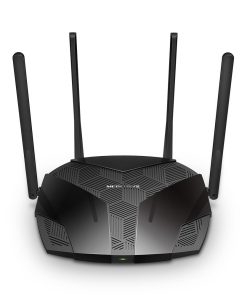
TP-Link Accessories
MERCUSYS AX3000 Wireless Dual-Band Wi-Fi 6 Router (TL-MR80X)
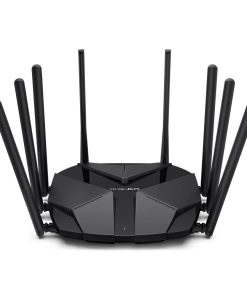
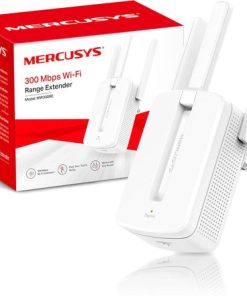
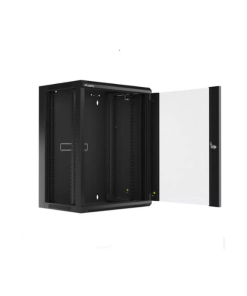


TP-Link Accessories
R & M Patch Cord CU Classic Unshielded CAT6 AWG26 LSZH Blue 2m R881023

How TP-Link Accessories Solve Networking Problems
Eliminating Dead Zones with Antennas
Weak Wi-Fi signals in certain areas can disrupt productivity and entertainment. TP-Link high-gain antennas improve signal strength and coverage, ensuring that your TP-Link WiFi Routers and TP-Link WiFi Access Points deliver stable connections throughout your home or office.
.Delivering Wired Speed Without Extra Cables – Powerline Adapters
Running new Ethernet cables is often impractical. TP-Link powerline adapters use your existing electrical wiring to deliver high-speed network connections, perfect for streaming, gaming, and connecting TP-Link Switches or desktop PCs in areas far from your router.
Solving Placement Issues – Mounting Brackets
Poor device placement can weaken network performance. TP-Link mounting brackets help install devices in the optimal position for maximum coverage and stability, keeping TP-Link WiFi Access Points and routers secure and unobstructed.
Power and Data Over One Cable – PoE Injectors & Splitters
Installing devices where power outlets aren’t available can be a challenge. TP-Link PoE solutions deliver both power and data through one Ethernet cable, making it easy to deploy TP-Link WiFi Access Points, IP cameras, and VoIP phones without extra wiring.
Expanding Coverage Instantly – Range ExtendersIf your Wi-Fi struggles to reach the far end of your property, TP-Link range extenders amplify your signal, ensuring seamless connectivity between your TP-Link WiFi Routers and connected devices across every floor and corner.
Other Problem-Solving TP-Link Accessories
- USB Hubs – Solve port limitations by adding extra USB connections for printers, storage devices, and peripherals.
- USB Adapters – Provide Ethernet connectivity to laptops without LAN ports or adapt between USB types for better compatibility with TP-Link WiFi Adapters.
- Power Banks – Ensure your devices stay powered on the go, solving the problem of running out of battery during travel or emergencies.
- Smart Plugs – Let you control appliances remotely, set schedules, and monitor energy usage — solving inefficiencies in energy management.
A high-performance network isn’t just about having a good router or switch — it’s about solving everyday connectivity challenges. TP-Link accessories integrate seamlessly with TP-Link WiFi Routers, TP-Link WiFi Access Points, TP-Link Switches, and TP-Link WiFi Adapters, providing targeted solutions for coverage, speed, installation, and device compatibility.Why TP-Link Accessories Are the Backbone of Reliable Networks
From eliminating dead zones to simplifying network expansion, TP-Link accessories ensure that every networking problem has a reliable, efficient, and cost-effective solution.