

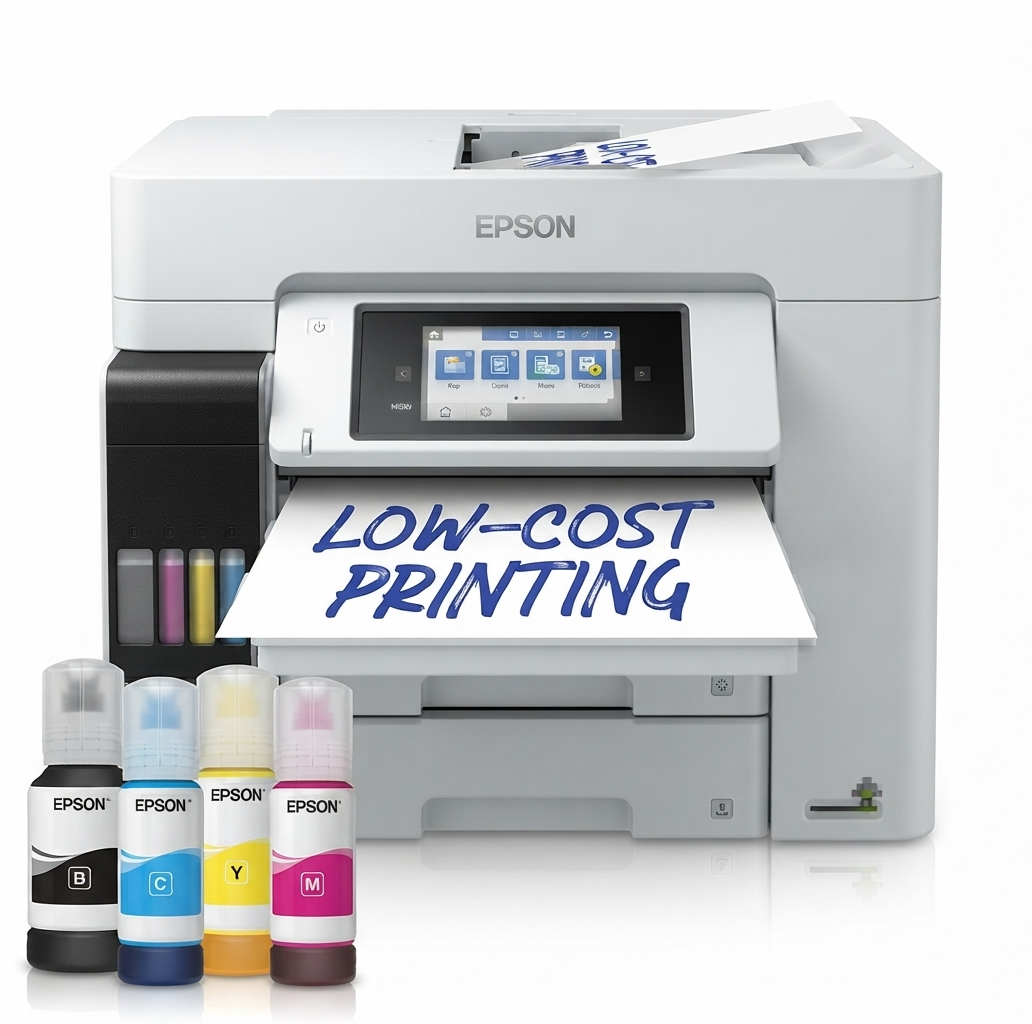
Epson EcoTank L6580 Wi-Fi Duplex Multifunction Printer with ADF (C11CJ28403BY)
KSh 168,000.00 (+ VAT(16%)
- Brand: Epson
- Product series: EcoTank L6580
- Product category: Business ink tank multifunction printer
- Model number / SKU: C11CJ28403BY
- Printer type: Colour inkjet multifunction printer
- Functions: Print, scan, copy, and fax
- Maximum paper size: A4
- Printing technology: Heat-Free PrecisionCore
- Ink technology: Epson DURABrite ET pigment ink
- Print resolution: Up to 4,800 x 1,200 dpi
- ISO print speed: Up to 25 pages per minute in black and colour
- Maximum stated print speed: Up to 32 pages per minute in black and colour on plain paper under specified conditions
- First-page-out time: Approximately 5.5 seconds in black and 6 seconds in colour
- Automatic duplex printing: Yes, for supported A4 plain paper
- ISO duplex print speed: Up to 21 pages per minute in black and colour
- Scanner type: Flatbed colour scanner with contact image sensor (CIS)
- Optical scan resolution: Up to 1,200 x 2,400 dpi
- Automatic document feeder: Yes, 50-sheet ADF
- Single-sided ADF scan speed: Up to 27.5 images per minute in black and 9 images per minute in colour
- Double-sided ADF scanning: Supported
- Double-sided ADF scan speed: Up to 11 images per minute in black and 6 images per minute in colour for black-and-white and colour scanning, respectively
- Copying: Colour and monochrome copying
- Fax: Colour and monochrome faxing
- Paper input capacity: Up to 550 sheets, comprising two 250-sheet front trays and a 50-sheet rear feed
- Output tray capacity: Up to 125 sheets
- Supported paper sizes: A4, A5, A6, B5, B6, Letter, Legal, Letter Legal, C4, C6, DL, and No. 10 envelopes
- Supported paper weight: Approximately 64–255 g/m²
- Rear paper feed: Yes
- Wireless connectivity: Wi-Fi IEEE 802.11b/g/n
- Direct wireless connectivity: Wi-Fi Direct
- Wired connectivity: Ethernet 10/100 Mbps and Hi-Speed USB
- Mobile printing: Supported Epson mobile printing services and Apple AirPrint
- Additional connectivity: USB host and NFC
- Network protocols: IPv4 and IPv6
- Display: 10.9 cm colour touchscreen
- Included black ink yield: Up to 4,500 pages
- Included colour ink yield: Up to 2,800 pages
- Maximum stated monthly print volume: 66,000 pages
- Recommended monthly print volume: 200–3,300 pages
- Dimensions (W x D x H): 425 x 500 x 350 mm
- Weight: Approximately 17.8 kg
- Power supply: AC 100–240 V, 50–60 Hz
- Operating system compatibility: Compatible Windows and macOS versions; verify current driver support for your operating system
Epson EcoTank L6580 Wi-Fi Duplex Multifunction Printer with ADF (C11CJ28403BY)
Epson EcoTank L6580 Wi-Fi Duplex Multifunction Printer (C11CJ28403BY) is a high-performance A4 colour ink tank printer designed for businesses, offices, and workgroups that require fast, reliable, and cost-effective document management. This Epson EcoTank printer combines printing, scanning, copying, and faxing in one versatile device, helping improve workplace productivity while reducing printing costs. With print speeds of up to 25 pages per minute in black and colour, automatic duplex printing, a 50-sheet automatic document feeder (ADF), and wireless and Ethernet connectivity, the L6580 efficiently handles everyday office workloads. Its refillable ink tank system uses high-yield ink bottles to deliver a low cost per page, while Heat-Free PrecisionCore technology supports energy-efficient operation. Additional features include a colour touchscreen, mobile printing support, and flexible paper handling, making this multifunction printer a practical solution for busy business environments.
Product Features
- Four-in-One Multifunction Printing
Epson EcoTank L6580 combines four essential office functions in one machine: printing, scanning, copying, and faxing. This all-in-one design helps businesses manage documents efficiently while saving workspace and reducing the need for separate office equipment.
- High-Speed Black and Colour Printing
Print professional documents at speeds of up to 25 pages per minute in both monochrome and colour under ISO testing conditions. The fast first-page-out time of approximately 5.5 seconds for black documents and 6 seconds for colour documents helps reduce waiting time when printing reports, invoices, business correspondence, and other office materials.
- Low-Cost Printing with Refillable Ink Tanks
EcoTank ink system uses refillable tanks and high-yield ink bottles instead of conventional ink cartridges. The supplied ink is rated for up to 4,500 black pages and 2,800 colour pages under Epson’s stated testing methodology, helping reduce the frequency of refills and ongoing printing expenses. Actual yields vary depending on document content, print settings, and usage conditions.
- Automatic Duplex Printing
Print on both sides of compatible A4 plain paper automatically to reduce manual page handling and paper consumption. Automatic duplex printing is useful for business reports, proposals, training materials, and multi-page documents.
- Automatic Document Feeder for Efficient Scanning and Copying
The built-in 50-sheet automatic document feeder allows users to process multi-page documents without placing each sheet individually on the scanner glass. It supports automatic document handling for scanning, copying, and faxing, including supported two-sided workflows.
- High-Speed Document Scanning
Scan documents quickly with single-sided A4 scanning speeds of up to 27.5 images per minute for black-and-white documents and 9 images per minute for colour documents using the ADF. The flatbed scanner is suitable for individual pages and documents that require careful placement, while the ADF streamlines larger document batches.
- Wireless, Ethernet, and USB Connectivity
Connect the Epson L6580 to your office network through Wi-Fi or Ethernet, or use USB for a direct computer connection. Wi-Fi Direct enables compatible devices to connect to the printer without requiring a conventional wireless router. These connectivity options support flexible installation in shared offices and workgroups.
- Mobile and Cloud Printing Support
Print from compatible smartphones, tablets, and computers using supported Epson mobile printing applications and services. Apple AirPrint support also allows compatible Apple devices to print without installing a separate printer driver. Available features depend on the device, application, network configuration, and service compatibility.
- Heat-Free PrecisionCore Printing Technology
Epson’s Heat-Free PrecisionCore printhead technology helps reduce energy consumption by avoiding the high heat required by some conventional printing technologies. It also supports responsive printing and consistent output for everyday business documents.
- Pigment-Based DURABrite ET Ink
The printer uses Epson DURABrite ET pigment ink to produce sharp text and clear colour graphics suitable for professional documents. Pigment-based ink is particularly useful for business correspondence, forms, reports, and other materials that require legible text and dependable everyday print quality.
- Large Paper Capacity and Flexible Media Handling
Epson EcoTank L6580 features two 250-sheet front paper trays and a 50-sheet rear feed, providing a combined standard input capacity of up to 550 sheets. The rear feed accommodates supported special media, while compatibility with various paper sizes and weights helps businesses handle different printing requirements.
- Intuitive Colour Touchscreen
The integrated 10.9 cm colour touchscreen provides access to printing, scanning, copying, faxing, and device settings. Its user-friendly interface helps simplify everyday operation in shared office environments.
- Business Document Management and Faxing
The printer supports colour and monochrome faxing, PC fax functions, fax memory, speed dial, and other business fax features. Scan-to-email, scan-to-FTP, and scan-to-network-folder capabilities help streamline document distribution and digital filing.
- Suitable for Business and Office Workloads
With a stated maximum monthly printing volume of 66,000 pages and a recommended monthly duty cycle of 200 to 3,300 pages, the L6580 is designed for regular business printing. The recommended duty cycle provides a more practical guide for planning everyday office usage.
Product Specifications
- Brand: Epson
- Product series: EcoTank L6580
- Product category: Business ink tank multifunction printer
- Model number / SKU: C11CJ28403BY
- Printer type: Colour inkjet multifunction printer
- Functions: Print, scan, copy, and fax
- Maximum paper size: A4
- Printing technology: Heat-Free PrecisionCore
- Ink technology: Epson DURABrite ET pigment ink
- Print resolution: Up to 4,800 x 1,200 dpi
- ISO print speed: Up to 25 pages per minute in black and colour
- Maximum stated print speed: Up to 32 pages per minute in black and colour on plain paper under specified conditions
- First-page-out time: Approximately 5.5 seconds in black and 6 seconds in colour
- Automatic duplex printing: Yes, for supported A4 plain paper
- ISO duplex print speed: Up to 21 pages per minute in black and colour
- Scanner type: Flatbed colour scanner with contact image sensor (CIS)
- Optical scan resolution: Up to 1,200 x 2,400 dpi
- Automatic document feeder: Yes, 50-sheet ADF
- Single-sided ADF scan speed: Up to 27.5 images per minute in black and 9 images per minute in colour
- Double-sided ADF scanning: Supported
- Double-sided ADF scan speed: Up to 11 images per minute in black and 6 images per minute in colour for black-and-white and colour scanning, respectively
- Copying: Colour and monochrome copying
- Fax: Colour and monochrome faxing
- Paper input capacity: Up to 550 sheets, comprising two 250-sheet front trays and a 50-sheet rear feed
- Output tray capacity: Up to 125 sheets
- Supported paper sizes: A4, A5, A6, B5, B6, Letter, Legal, Letter Legal, C4, C6, DL, and No. 10 envelopes
- Supported paper weight: Approximately 64–255 g/m²
- Rear paper feed: Yes
- Wireless connectivity: Wi-Fi IEEE 802.11b/g/n
- Direct wireless connectivity: Wi-Fi Direct
- Wired connectivity: Ethernet 10/100 Mbps and Hi-Speed USB
- Mobile printing: Supported Epson mobile printing services and Apple AirPrint
- Additional connectivity: USB host and NFC
- Network protocols: IPv4 and IPv6
- Display: 10.9 cm colour touchscreen
- Included black ink yield: Up to 4,500 pages
- Included colour ink yield: Up to 2,800 pages
- Maximum stated monthly print volume: 66,000 pages
- Recommended monthly print volume: 200–3,300 pages
- Dimensions (W x D x H): 425 x 500 x 350 mm
- Weight: Approximately 17.8 kg
- Power supply: AC 100–240 V, 50–60 Hz
- Operating system compatibility: Compatible Windows and macOS versions; verify current driver support for your operating system
Be the first to review “Epson EcoTank L6580 Wi-Fi Duplex Multifunction Printer with ADF (C11CJ28403BY)”
Related products
Epson printers
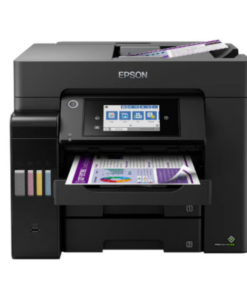
Epson EcoTank L6290 All-in-One Ink Tank Printer (C11CJ60408)
Epson printers
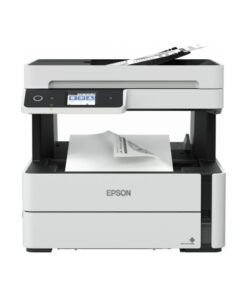
Epson EcoTank M3140 All-in-One Monochrome Duplex Ink Tank Printer with ADF (C11CG91404BY)
Reviews
There are no reviews yet.