

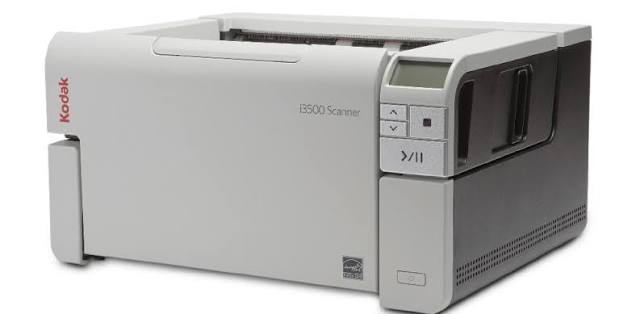
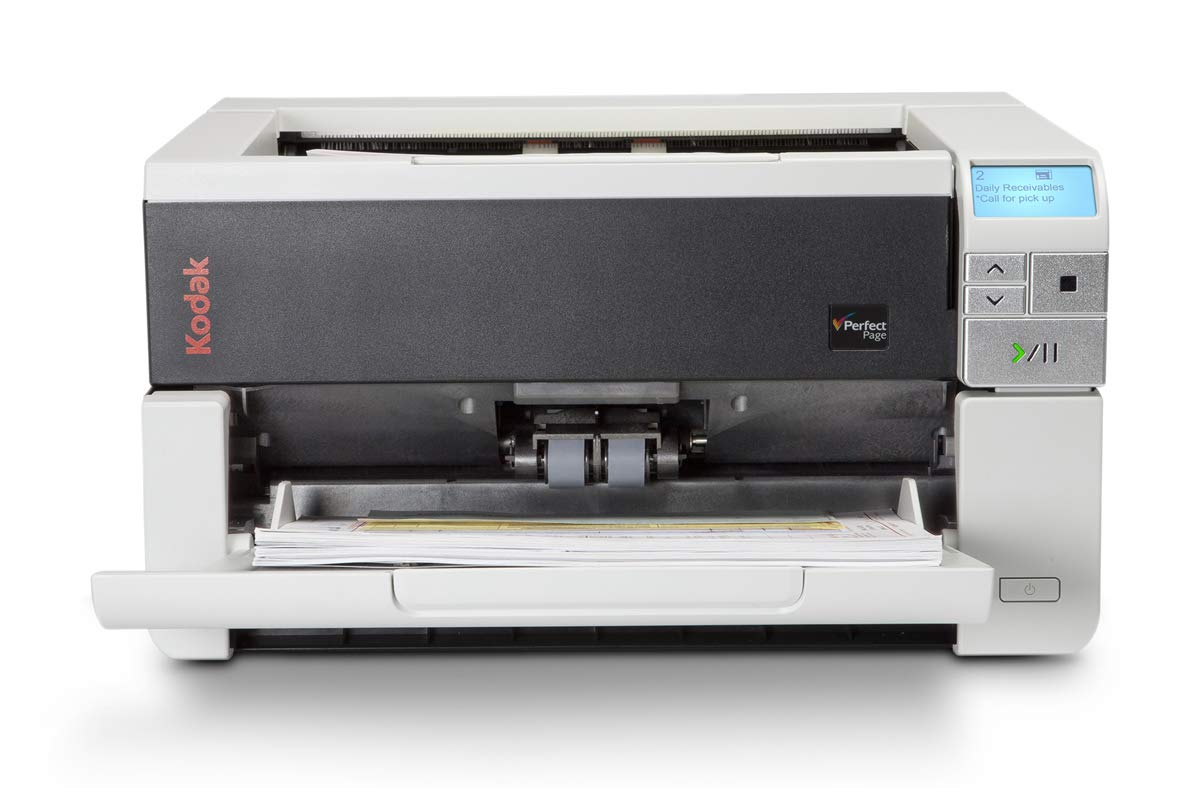
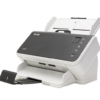
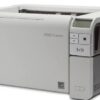
Kodak Alaris i3500 A3 Document Scanner – 110 PPM, Duplex Scanning, 35,000 Pages Per Day
KSh 640,000.00 (+ VAT(16%)
- Brand: Kodak Alaris
- Model: i3500
- Product type: Departmental A3 document scanner
- Scanner technology: Dual CCD
- Scanning speed: Up to 110 pages per minute
- Duplex scanning speed: Up to 220 images per minute
- Recommended daily scanning volume: Up to 35,000 pages per day
- Maximum automatic document feeder capacity: Up to 300 sheets of 80 gsm paper
- Maximum document width: 305 mm
- Maximum document length: Up to 4.1 metres in long-document mode
- Optical resolution: Up to 600 dpi; output resolution options extend to 1200 dpi
- Colour capture depth: 48-bit
- Colour output depth: 24-bit
- Grayscale output: 8-bit, 256 levels
- Connectivity: USB 3.2 Gen 1×1 and USB 2.0
- Supported driver interfaces: TWAIN, ISIS, and WIA
- Supported output formats: PDF, searchable PDF, JPEG, TIFF, multipage TIFF, BMP, and RTF, depending on the software used
- Paper weight: 34–413 gsm, subject to paper-path and handling restrictions
- Power requirements: 100–240 V AC, 50–60 Hz
- Power consumption: Less than 49 W while scanning; less than 2.8 W in sleep mode
- Dimensions: Approximately 43.18 cm wide × 37.1 cm deep × 23.8 cm high, with the input tray closed
- Weight: Approximately 15.8 kg
Kodak Alaris i3500 A3 Document Scanner – 110 PPM, Duplex Scanning, 35,000 Pages Per Day
Kodak Alaris i3500 A3 Document Scanner is a high-performance departmental document scanning solution designed for organizations that need to digitize large volumes of paperwork quickly and efficiently. With scanning speeds of up to 110 pages per minute (ppm) and 220 images per minute (ipm) in duplex mode, this A3 document scanner helps businesses, government institutions, universities, hospitals, financial organizations, and records management departments streamline document processing. Its 300-sheet automatic document feeder, dual CCD scanning technology, advanced image processing, and recommended daily volume of up to 35,000 pages make it suitable for demanding document digitization environments. The Kodak i3500 supports scanning of A3-sized documents and offers USB connectivity, multiple image output formats, and compatibility with document management workflows. Buy the Kodak Alaris i3500 document scanner from Fedi Office Supplies in Kenya for professional document digitization solutions.
Kodak Alaris i3500 Document Scanner Features
High-Speed Scanning at Up to 110 PPM
Kodak Alaris i3500 delivers scanning speeds of up to 110 pages per minute in colour, grayscale, and black-and-white modes under specified operating conditions. This high-speed performance helps organizations digitize large document collections, reduce manual processing time, and improve office productivity.
High-Volume Scanning of Up to 35,000 Pages Per Day
Designed for demanding departmental workflows, the i3500 supports a recommended daily scanning volume of up to 35,000 pages. It is suitable for organizations processing invoices, application forms, personnel records, academic documents, financial paperwork, and archived files in large quantities.
A3 Document Scanning Capability
Kodak i3500 accommodates a wide range of document sizes, including A3-sized paper. It is suitable for digitizing large-format office documents, architectural drawings within supported dimensions, financial reports, engineering documents, and other oversized paperwork that fits within its specified paper-handling limits.
Automatic Duplex Scanning
The scanner captures both sides of a document in a single pass, achieving speeds of up to 220 images per minute under specified conditions. Automatic duplex scanning reduces the need to turn documents manually and improves productivity when processing double-sided forms, contracts, reports, and records.
300-Sheet Automatic Document Feeder
Kodak Alaris i3500 features an automatic document feeder with a capacity of up to 300 sheets of standard 80 gsm paper. This allows users to load large batches of documents and scan them with minimal manual intervention.
Dual CCD Scanning Technology
Dual CCD imaging technology supports the capture of detailed document images in colour and grayscale. The scanner supports 48-bit colour capture and 24-bit colour output, helping preserve document details for archiving, sharing, indexing, and digital records management.
Advanced Image Processing with Perfect Page Technology
Kodak Alaris Perfect Page image processing includes features designed to improve document readability and consistency. Depending on the selected settings and software, these features include automatic cropping, deskewing, image orientation, colour detection, blank-page removal, streak filtering, and adaptive threshold processing.
Intelligent Document Protection
Intelligent Document Protection and ultrasonic multifeed detection help identify potential paper-feeding problems, including multiple sheets being fed together. These features help reduce the risk of document damage and improve scanning reliability when processing mixed batches of paperwork.
USB Connectivity
Kodak i3500 connects to a compatible computer through USB 3.2 Gen 1×1, also known as USB 3.0, and supports USB 2.0 connectivity. This provides a practical connection for departmental scanning stations and document digitization workstations.
Multiple Digital Output Formats
The scanner supports a range of image and document output formats through compatible drivers and software. These include PDF, searchable PDF, JPEG, TIFF, multipage TIFF, BMP, and RTF. Searchable PDF creation depends on the selected software and OCR functionality.
Professional Document Management Integration
TKodak i3500 supports TWAIN, ISIS, and WIA drivers for integration with compatible scanning and document management applications. Optional software solutions can help organizations capture, index, organize, and distribute digitized records.
Kodak Alaris i3500 Document Scanner Specifications
- Brand: Kodak Alaris
- Model: i3500
- Product type: Departmental A3 document scanner
- Scanner technology: Dual CCD
- Scanning speed: Up to 110 pages per minute
- Duplex scanning speed: Up to 220 images per minute
- Recommended daily scanning volume: Up to 35,000 pages per day
- Maximum automatic document feeder capacity: Up to 300 sheets of 80 gsm paper
- Maximum document width: 305 mm
- Maximum document length: Up to 4.1 metres in long-document mode
- Optical resolution: Up to 600 dpi; output resolution options extend to 1200 dpi
- Colour capture depth: 48-bit
- Colour output depth: 24-bit
- Grayscale output: 8-bit, 256 levels
- Connectivity: USB 3.2 Gen 1×1 and USB 2.0
- Supported driver interfaces: TWAIN, ISIS, and WIA
- Supported output formats: PDF, searchable PDF, JPEG, TIFF, multipage TIFF, BMP, and RTF, depending on the software used
- Paper weight: 34–413 gsm, subject to paper-path and handling restrictions
- Power requirements: 100–240 V AC, 50–60 Hz
- Power consumption: Less than 49 W while scanning; less than 2.8 W in sleep mode
- Dimensions: Approximately 43.18 cm wide × 37.1 cm deep × 23.8 cm high, with the input tray closed
- Weight: Approximately 15.8 kg
Applications of the Kodak Alaris i3500 A3 Scanner
Government Offices and Public Institutions
Government departments can use the Kodak i3500 to digitize application forms, citizen records, correspondence, archived files, and administrative documents. High-volume scanning helps reduce reliance on physical storage and supports electronic records management.
Banks and Financial Institutions
Banks, microfinance institutions, insurance companies, and other financial organizations can use the scanner to digitize account-opening forms, loan applications, transaction records, claims documentation, and customer files.
Universities, Colleges, and Schools
Educational institutions can digitize student registration forms, examination records, academic transcripts, admission documents, staff records, and administrative paperwork. A3 scanning capability also accommodates suitable oversized academic and administrative documents.
Hospitals and Healthcare Facilities
Hospitals, clinics, and healthcare administrators can use the scanner to digitize patient administration forms, billing records, insurance claims, referral documents, and other paper-based administrative records. Access to sensitive information should be managed through appropriate data protection and access controls.
Legal Firms and Records Management Companies
Law firms, courts, archives, and records management providers can digitize case files, contracts, legal correspondence, supporting documentation, and historical records. Duplex scanning and high-volume processing help accelerate the conversion of paper files into digital archives.
Accounting Departments and Corporate Offices
Businesses can scan invoices, receipts, purchase orders, delivery notes, expense claims, contracts, financial reports, and employee records to support digital filing and document retrieval.
Engineering, Construction, and Technical Offices
Engineering and construction firms can digitize suitable A3 technical documents, project records, plans, reports, and drawings within the scanner’s supported paper dimensions. Very large-format drawings may require a dedicated wide-format scanner.
Document Digitization and Business Process Outsourcing Companies
Scanning bureaus and business process outsourcing providers can use the i3500 to process large volumes of client paperwork, convert physical records into digital files, and support document indexing and archival projects.
Why Buy the Kodak Alaris i3500 from Fedi Office Supplies in Kenya?
Fedi Office Supplies provides technology and office equipment solutions for businesses, institutions, and professional users in Kenya. The Kodak Alaris i3500 is suitable for organizations looking to improve document processing, reduce manual scanning, and establish high-volume digital document workflows.
When purchasing this scanner, confirm the availability of the required drivers, compatible scanning software, installation support, consumables, and warranty terms. For organizations implementing a large-scale digitization project, it is also advisable to assess the computer specifications, document management software, storage capacity, and backup requirements before deployment.
Contact Fedi Office Supplies for a quotation for the Kodak Alaris i3500 A3 document scanner in Kenya.
Frequently Asked Questions About the Kodak Alaris i3500 Scanner
- What is the scanning speed of the Kodak Alaris i3500?
The Kodak Alaris i3500 scans at speeds of up to 110 pages per minute and up to 220 images per minute in duplex mode. Actual performance depends on document size, resolution, software, computer specifications, and image-processing settings.
- Can the Kodak Alaris i3500 scan A3 documents?
Yes. Kodak Alaris i3500 supports documents up to 305 mm wide, accommodating A3 paper. Its automatic document feeder also supports long documents within the specified paper-handling limits.
- How many pages can the Kodak i3500 scan per day?
The recommended daily scanning volume is up to 35,000 pages. This makes it suitable for high-volume departmental scanning and large-scale document digitization projects.
- Does the Kodak Alaris i3500 support double-sided scanning?
Yes. The scanner supports automatic duplex scanning, capturing both sides of a document in one pass. It can reach up to 220 images per minute under specified operating conditions.
- How many sheets can the Kodak i3500 hold?
The automatic document feeder accommodates up to 300 sheets of standard 80 gsm paper, allowing users to process large document batches without constantly reloading the feeder.
- Does the Kodak Alaris i3500 scan in colour?
Yes. The scanner supports colour, grayscale, and black-and-white scanning. It uses dual CCD imaging technology and supports 48-bit colour capture with 24-bit colour output.
- Can the Kodak i3500 create searchable PDF documents?
Yes, searchable PDF creation is available through compatible scanning software and OCR functionality. The software can convert scanned page images into documents with searchable text, depending on the configuration and language support.
- Which connectivity options does the Kodak Alaris i3500 support?
The scanner supports USB 3.2 Gen 1×1 and USB 2.0 connectivity. It is designed to connect to a compatible computer rather than operate as a standalone network scanner.
- Which operating systems support the Kodak Alaris i3500?
Kodak Alaris lists Windows 11 Pro 64-bit and Windows 10 among its validated operating systems, along with certain Linux distributions. Always check the current driver release notes and software compatibility before installation.
- What software interfaces does the Kodak i3500 support?
The scanner supports TWAIN, ISIS, and WIA drivers, enabling integration with compatible scanning applications and document management systems. Optional software can provide additional capture, indexing, and workflow features.
- Is the Kodak Alaris i3500 suitable for bulk document scanning?
Yes. Its 110 ppm scanning speed, duplex functionality, 300-sheet feeder, and recommended daily volume of up to 35,000 pages make it suitable for organizations processing large document collections.
- Can the Kodak i3500 scan books or bound documents?
The standard automatic document feeder is intended for loose sheets, not bound books. A compatible flatbed accessory may be required for suitable documents that cannot be fed through the automatic document feeder. Confirm accessory compatibility before purchasing.
- What is the difference between pages per minute and images per minute?
Pages per minute measures the number of physical sheets scanned per minute. Images per minute counts the individual sides captured. For example, duplex scanning at 110 pages per minute can produce up to 220 images per minute when both sides of each sheet are scanned.
- Where can I buy the Kodak Alaris i3500 scanner in Kenya?
You can contact Fedi Office Supplies in Kenya for pricing, availability, and a quotation for the Kodak Alaris i3500 A3 document scanner. Confirm current stock, warranty coverage, and delivery arrangements before placing an order.
Be the first to review “Kodak Alaris i3500 A3 Document Scanner – 110 PPM, Duplex Scanning, 35,000 Pages Per Day”
Related products



Kodak Scanners
Kodak S2085f 85 PPM Gigabit LAN USB 3.2 Gen Document Scanner
Document Scanners
Kodak i2620 600 DPI High-Speed Document Scanner – Up to 60 PPM
Reviews
There are no reviews yet.