


Canon PIXMA G3430, Wi-Fi, All-in-One Inkjet Printer


KSh 25,000.00 (+ VAT(16%)
Key Features
1. Printing Features
- Refillable Ink Tank System: Cost-efficient, high-capacity ink tanks.
- Up to 4,600 pages per set of black and color ink bottles.
- Print Resolution: Up to 4800 x 1200 dpi for sharp text and vivid images.
- Print Speed (ISO):
- Black: 11 images per minute (ipm).
- Color: 6 ipm.
- Borderless Printing: Supports A4, letter, and photo sizes.
- Manual Duplex Printing: For double-sided printing.
2. Scanning and Copying
- Scanner Type: Flatbed with CIS (Contact Image Sensor) technology.
- Scan Resolution: Up to 600 x 1200 dpi.
- Copy Features: N-in-1 copying (merge 2 or 4 pages), ID card copy.
- Max Copies: 99 per operation.
3. Connectivity
- Wi-Fi Connectivity:
- IEEE 802.11b/g/n for wireless printing and scanning.
- Mobile printing compatibility via Canon PRINT app, Mopria, and Apple AirPrint.
- USB Interface: USB 2.0 for direct connections.
- Cloud Integration: Scan to or print from cloud services (via Canon PRINT app).
4. Media Handling
- Paper Capacity: 100-sheet rear tray.
- Supported Sizes: A4, A5, A6, B5, Legal, Letter, and custom sizes.
- Supported Media Types: Plain paper, glossy and matte photo paper, and envelopes.
- Weight Support: Plain paper (64–105 gsm), photo paper (up to 275 gsm).
5. Energy Efficiency
- Power Usage:
- Printing: ~15W.
- Standby: ~0.6W.
- Low TEC value of 0.17 kWh/week, ensuring energy efficiency.
6. Physical Features
- Compact Design: Space-saving dimensions: 416 x 557 x 268 mm.
- Lightweight: Approx. 6 kg for easy mobility.
7. Software and Compatibility
- Operating System Support:
- Windows (8.1, 10, 11), macOS (10.14 and newer), and ChromeOS.
- User-Friendly Apps: Canon PRINT, Easy-PhotoPrint Editor, Creative Park.
Canon PIXMA G3430, Wi-Fi, All-in-One Inkjet Printer
The Canon PIXMA G3430 is a versatile and economical 3-in-1 MegaTank printer designed for home and small office use. Below are its detailed specifications:
Printing Features
- Print Technology: Inkjet with refillable ink tanks.
- Print Resolution: Up to 4800 x 1200 DPI.
- Print Speed (ISO): 11 ipm (black) and 6 ipm (color).
- Borderless Printing: Supported for A4, B5, Letter, and various photo sizes.
- Duplex Printing: Manual.
Scanning and Copying
- Scanner Type: Flatbed, with CIS technology.
- Scan Resolution: 600 x 1200 DPI.
- Color Copying: Supported with features like ID card copy and N-in-1 copying (2 or 4 pages).
- Maximum Copies: 99 per job.
Media Handling
- Input Capacity: 100 sheets.
- Supported Media Sizes: A4, A5, A6, B5, Letter, Legal, and custom dimensions.
- Supported Media Types: Plain paper, photo paper, envelopes.
- Paper Weight Range: 64 to 105 g/m².
Connectivity and System Compatibility
- Wireless: Wi-Fi (802.11b/g/n) with support for WEP, WPA-PSK, and WPA2-PSK.
- Mobile Printing: Compatible with Android and iOS.
- USB Interface: USB Type-B for direct connections.
- Supported Operating Systems: Windows (8.1, 10, 11), macOS (10.14 Mojave and later), and ChromeOS.
Design and Usability
- Dimensions: 416 x 557 x 268 mm.
- Weight: 6 kg.
- Display: No built-in display.
- Energy Efficiency: Consumes 0.6W in standby, 15W during operation, and has a TEC value of 0.17 kWh/week.
Ink System
- Refillable Tanks: Reduces running costs significantly, with a single set of ink bottles yielding up to 4,600 pages.
The PIXMA G3430 is ideal for cost-effective, high-volume printing needs while supporting essential features like wireless connectivity and manual duplexing.
Application
1. Home Use
- Everyday Printing Needs: Ideal for printing school assignments, recipes, personal documents, and photos.
- Scanning and Archiving: Digitize important documents, family photos, or notes.
- Creative Projects: Print DIY crafts, posters, and invitations using Canon’s Creative Park tools.
2. Small Office/Home Office (SOHO)
- High-Volume Document Printing: Efficient for reports, invoices, contracts, and office correspondence with refillable tanks for low-cost operation.
- Multi-User Setup: Wi-Fi connectivity allows multiple users to print or scan wirelessly.
- Copying Features: Useful for duplicating documents or creating ID card copies.
3. Educational Institutions
- Student Use: Supports large print volumes for study materials, notes, and projects.
- Teacher Use: Print lesson plans, handouts, and classroom materials economically.
4. Photography and Creative Printing
- Photo Printing: Print high-resolution borderless photos for albums or framing.
- Custom Projects: Create greeting cards, photo collages, or personalized designs using compatible photo paper.
5. Remote and Mobile Printing
- Cloud Integration: Print directly from Google Drive, Dropbox, or other cloud services.
- Mobile Printing: Use the Canon PRINT app, Mopria, or Apple AirPrint for seamless wireless printing from smartphones or tablets.
6. Small Business Support
- Marketing Materials: Print flyers, posters, and promotional materials in-house.
- Administrative Tasks: Print forms, schedules, and labels efficiently.
Notable Advantages for Applications
- Cost-Efficiency: Refillable ink tanks provide ultra-low-cost printing, reducing total ownership costs.
- High Yield: A single ink refill yields up to 4,600 pages (black) or 7,700 pages (color), making it suitable for frequent printing tasks.
- Compact Design: Fits well in home offices or shared spaces without occupying much room.
Be the first to review “Canon PIXMA G3430, Wi-Fi, All-in-One Inkjet Printer”
Related products


Label Printers
Original Brother TZe-SE4 18mm Black on White Laminated strong self adhesive Security Tape
Printers and Cartridges
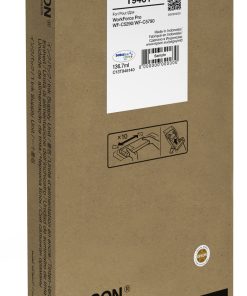
Epson T9461 WF-C5XXX Series Ink Cartridge XXL Black- (C13T946140)


Printers and Cartridges
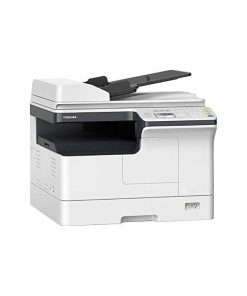
Toshiba E-STUDIO 2329A A3/A4 Duplex Monochrome Printer(6AG00009281)

Printers and Cartridges
Epson T9453 WF-C5XXX Series Ink Cartridge XL Magenta- (C13T945340)


Entry level printers
Epson EcoTank L3250 A4 Wi-Fi All-in-One Ink Tank Printer(C11CJ67418)



Reviews
There are no reviews yet.