

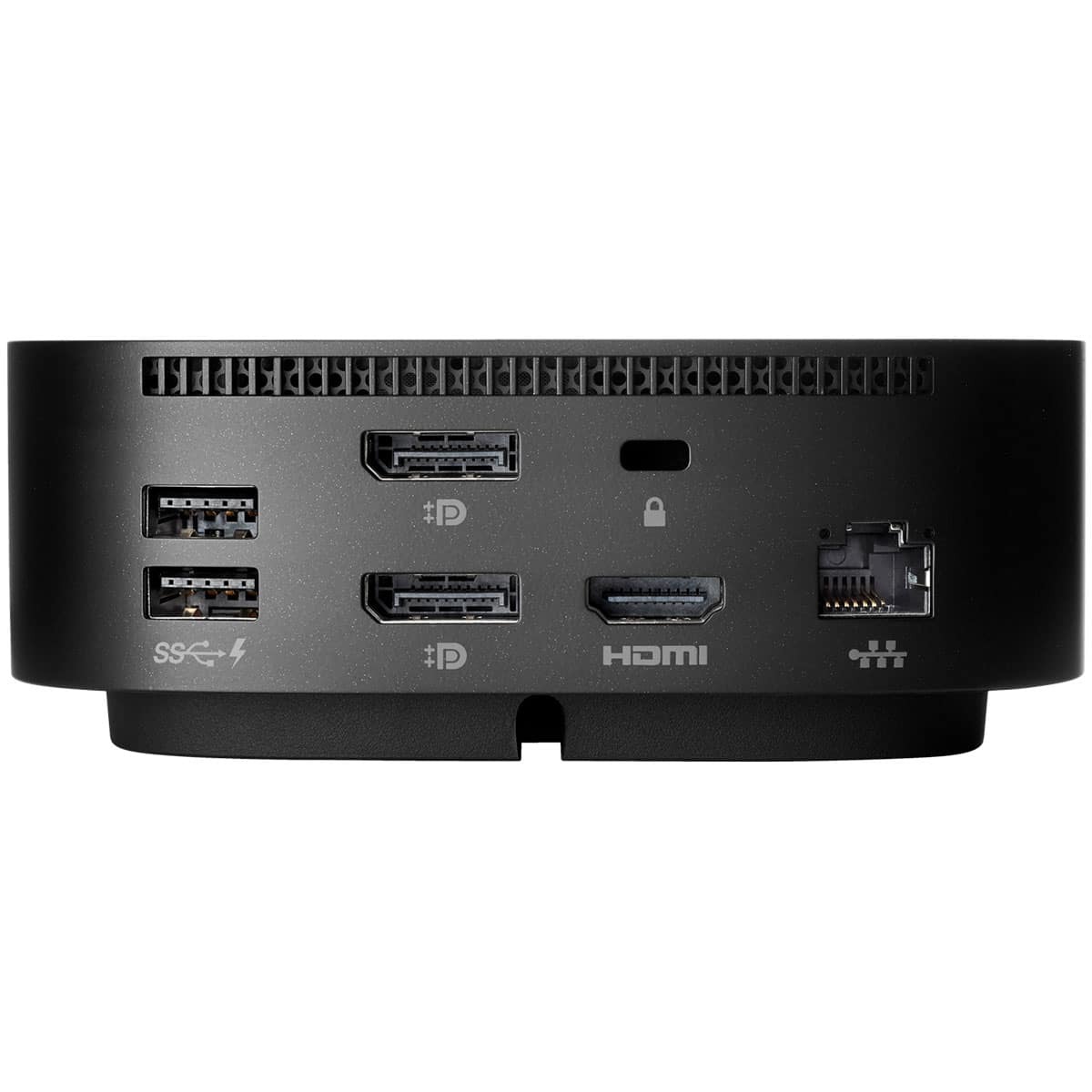
Hp Usb-C G5 Essential Dock for Business 72c71aa


KSh 44,900.00 (+ VAT(16%)
- Brand: HP
- Model: USB-C G5 Essential Dock (72C71AA)
- Connectivity: USB-C / Thunderbolt™
- Video Outputs: 1 x HDMI, 1 x DisplayPort
- USB Ports: 4 x USB-A, 1 x USB-C
- Network: Gigabit Ethernet (RJ-45)
- Audio: Combo Audio Jack
- Power Delivery: Up to 65W
- Display Support: Up to Dual 4K Monitors
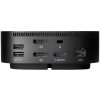
HP USB-C G5 Essential Dock for Business 72c71aa
HP USB-C G5 Essential Dock (72C71AA) is a versatile and reliable docking solution designed to simplify connectivity for modern professionals. With a single USB-C connection, it instantly transforms your laptop into a full workstation—powering your device, supporting multiple displays, and providing a wide range of ports for seamless productivity. Compact, secure, and built for enterprise use, this dock is perfect for business environments and hybrid work setups.
Product Features
Universal USB-C Compatibility
Works with HP and non-HP notebooks, ensuring flexible use across various devices that support USB-C or Thunderbolt™ connections.
Multi-Display Support
Connect up to two external displays via HDMI and DisplayPort for efficient multitasking and a more productive workspace.
Reliable Power Delivery
Delivers up to 65W of power to your connected notebook, keeping your devices charged and ready to perform.
Comprehensive Connectivity
Includes multiple USB-A and USB-C ports, Ethernet, and audio jacks to connect essential peripherals and network devices.
Enterprise-Grade Management
Supports advanced IT management features such as PXE Boot, Wake-on-LAN, and MAC address pass-through for secure, centralized control.
Compact and Professional Design
Sleek, space-saving design with a durable build—ideal for office desks, hot-desking stations, or remote work setups.
Product Specifications
- Brand: HP
- Model: USB-C G5 Essential Dock (72C71AA)
- Connectivity: USB-C / Thunderbolt™
- Video Outputs: 1 x HDMI, 1 x DisplayPort
- USB Ports: 4 x USB-A, 1 x USB-C
- Network: Gigabit Ethernet (RJ-45)
- Audio: Combo Audio Jack
- Power Delivery: Up to 65W
- Display Support: Up to Dual 4K Monitors
- Compatibility: Works with HP and non-HP USB-C/Thunderbolt laptops
- Security: Kensington lock slot
- Color: Black
Frequently Asked Questions (FAQ)
Is the HP G5 Essential Dock compatible with non-HP laptops?
Yes. It supports most USB-C and Thunderbolt-enabled laptops from other brands.
Can it charge my laptop?
Yes. It delivers up to 65W power delivery, which is suitable for most notebooks.
How many external displays can I connect?
You can connect up to two monitors using the HDMI and DisplayPort outputs.
Does this dock require drivers?
Most functions are plug-and-play, but installing the latest HP firmware ensures optimal compatibility and performance.
Does it support enterprise management features?
Yes. It supports PXE Boot, Wake-on-LAN, and MAC address pass-through for IT-managed environments.



Reviews
There are no reviews yet.