

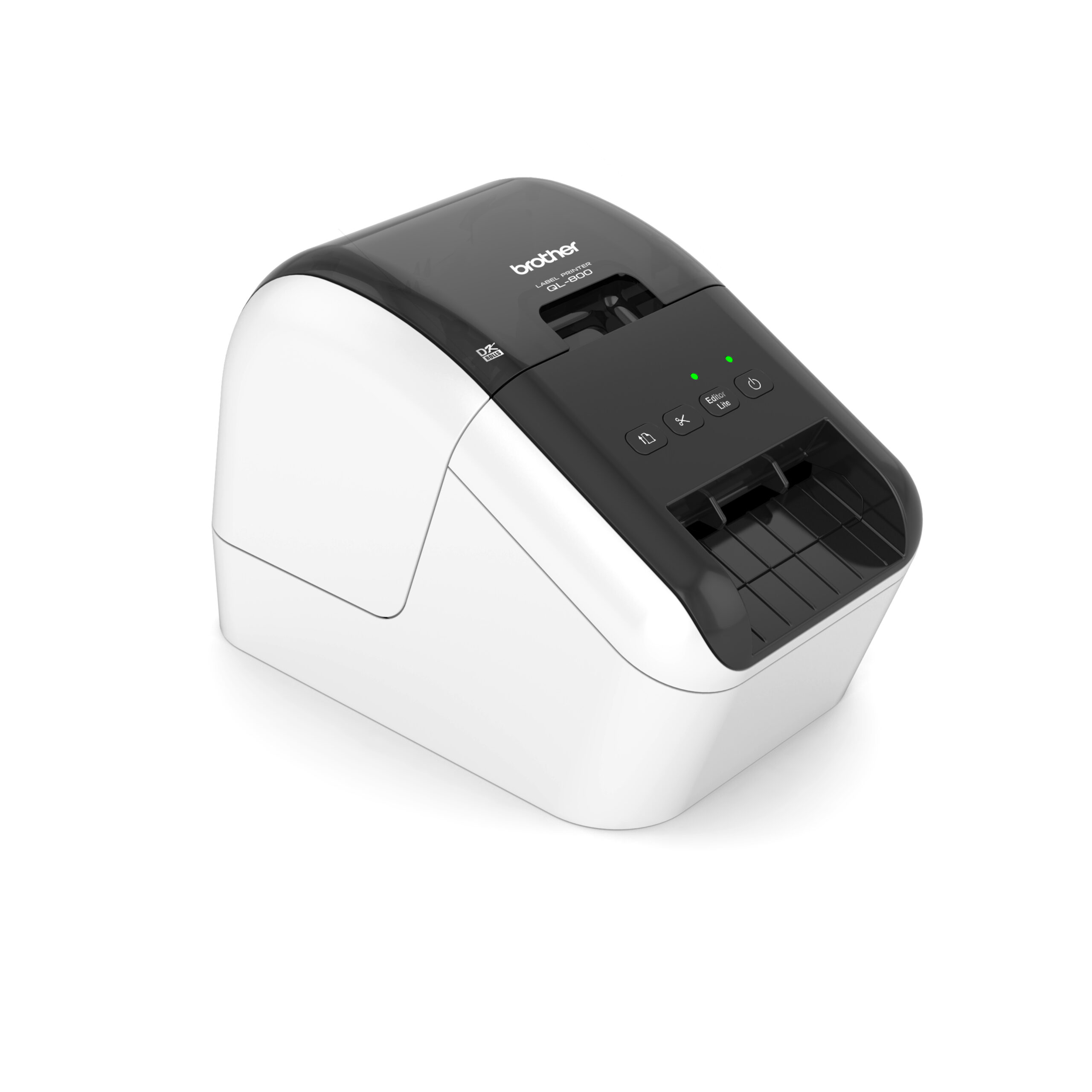
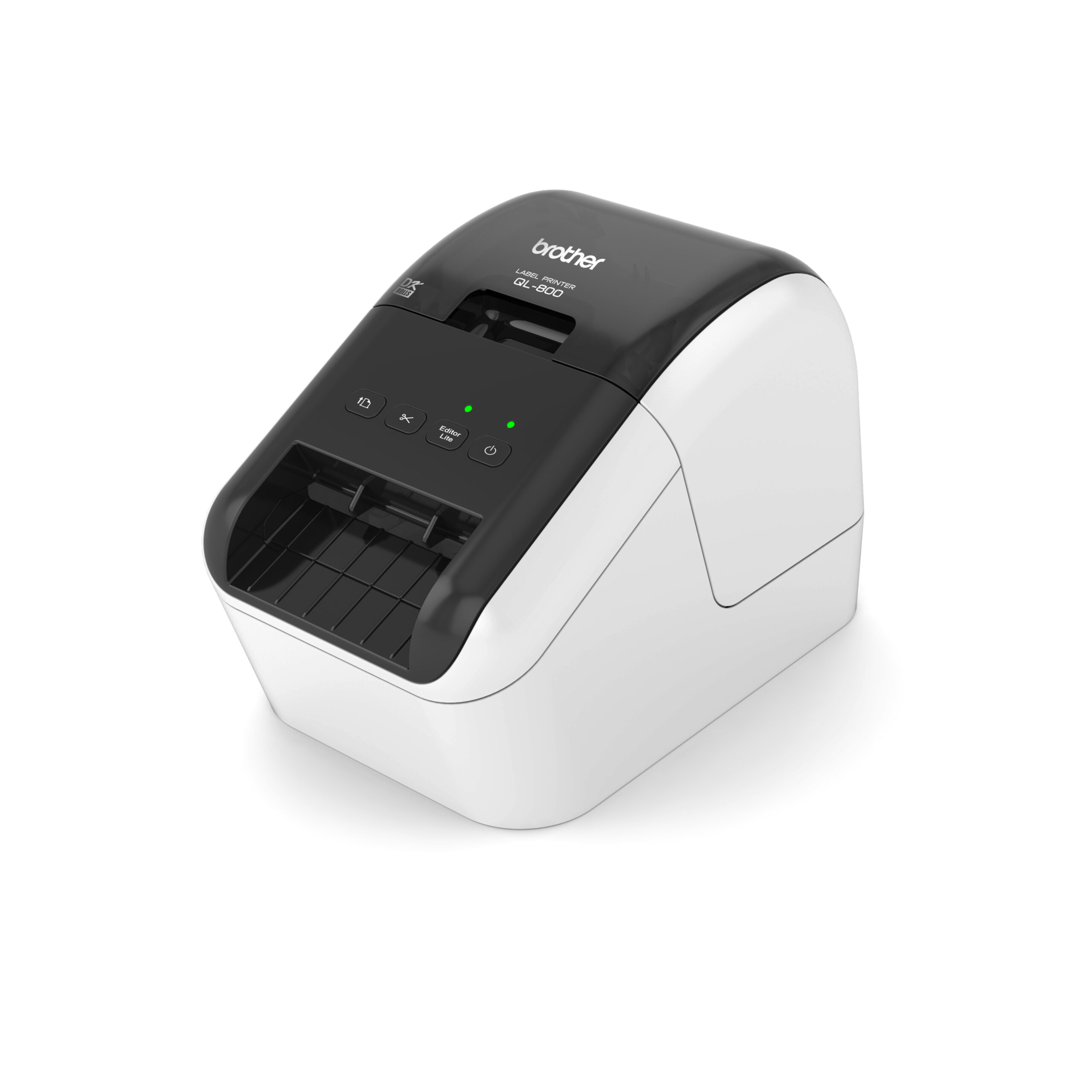


Brother QL-800 Professional Label printer


KSh 26,000.00 (+ VAT(16%)
Brother QL-800 Professional Label Printer
- Model: QL-800
- Printer Type: Professional direct thermal label printer
- Printing Technology: Direct thermal
- Print Resolution: 300 × 300 dpi
- High Resolution: Up to 300 × 600 dpi
- Print Speed: Up to 148mm/sec
- Approx. Print Rate: Up to 93 labels/minute
- Maximum Printable Width: Approx. 58mm
- Supported Media Width: Up to 62mm
- Maximum Continuous Length: Up to approximately 1 metre with suitable media
- Media Type: Brother DK rolls
Brother QL-800 Professional Label Printer
Buy Brother QL-800 Professional Label Printer in Kenya for KSh 26,000 + VAT from Fedi Office Supplies in Nairobi, Kenya. Brother QL-800 is a professional direct thermal label printer designed for fast, reliable printing of shipping labels, address labels, barcodes, product labels, file labels and packaging labels. It supports Continuous Brother DK label rolls up to 62mm wide, with compatible media available for black-and-red two-colour printing.
Key Features
- Direct Thermal Printing: Prints without ink cartridges or toner.
- Fast Printing: Up to 148mm/sec black-only printing, approximately 93 standard address labels per minute under Brother testing conditions.
- Black & Red Printing: Supports compatible Brother DK media for black-and-red two-colour labels.
- 300 dpi Printing: Standard 300 × 300 dpi resolution with up to 300 × 600 dpi high-resolution printing.
- DK Roll Compatibility: Supports die-cut and continuous Brother DK label rolls.
- Automatic Cutter: Automatically cuts labels for efficient batch printing.
- USB Connectivity: USB 2.0 Full Speed connection for desktop and laptop printing.
- Barcode Printing: Create barcode and identification labels using Brother P-touch Editor.
- Compact Design: Suitable for offices, retail counters, warehouses, logistics operations and other business environments.
Brother QL-800 Specifications
- Brand: Brother
- Model: QL-800
- Printer Type: Professional direct thermal label printer
- Printing Technology: Direct thermal
- Print Resolution: 300 × 300 dpi
- High Resolution: Up to 300 × 600 dpi
- Print Speed: Up to 148mm/sec
- Approx. Print Rate: Up to 93 labels/minute
- Maximum Printable Width: Approx. 58mm
- Supported Media Width: Up to 62mm
- Maximum Continuous Length: Up to approximately 1 metre with suitable media
- Media Type: Brother DK rolls
- Two-Colour Printing: Black + red on compatible DK media
- Two-Colour Speed: Up to 24mm/sec
- Interface: USB 2.0 Full Speed
- Automatic Cutter: Yes
- Software: Brother P-touch Editor / Editor Lite
- Barcode Printing: Yes
- Weight: Approx. 1.15kg
- Dimensions: 125.3 × 213 × 142mm
Brother QL-800 Label Rolls
Brother QL-800 uses Brother DK label rolls, including:
- DK die-cut labels for fixed-size address, shipping, file and product labels
- DK continuous paper rolls for custom-length labels
- DK continuous film rolls for applications requiring suitable film media
- Black-and-red compatible DK rolls for highlighting important information
This printer accepts media up to 62mm wide, with a maximum printable width of approximately 58mm. Suitable continuous media can be used for longer labels and banners.
Applications
Brother QL-800 can be used for a wide range of business labeling requirements:
- Shipping & Logistics: Shipping, address, dispatch and parcel labels
- Warehousing: Inventory, shelf, bin, barcode and stock labels
- Retail: Product, price, promotional and shelf labels
- E-commerce: Order, shipping, packaging and return labels
- Office: File, folder, cabinet, document and equipment labels
- Healthcare: File, equipment, storage and identification labels
- Schools & Institutions: Library, asset, file and equipment labels
Barcode & Shipping Label Printing
Brother QL-800 barcode printer can create professional barcode labels using Brother P-touch Editor. Supported applications include inventory control, product identification, asset tracking, warehouse management, retail and shipping.
For e-commerce, courier and logistics operations, the QL-800 can print addresses, parcel identification, dispatch, return and package handling labels using suitable DK media.
Black & Red Two-Colour Printing
Brother QL-800 can produce black-and-red labels when used with compatible Brother DK black/red media. This allows businesses to emphasize information such as:
- Warnings and notices
- Priority packages
- Expiry information
- Special handling instructions
- Promotions
- Important product information
Two-colour printing operates at speeds of up to 24mm/sec.
Brother QL-800 Software
Brother QL-800 works with Brother P-touch Editor, which can be used to design customized labels containing:
- Text
- Barcodes
- QR codes
- Addresses
- Graphics and logos
- Numbering
- Date and time information
- Shipping and product information
Editor Lite is also available for quick label creation on supported systems.
Brother QL-800 Connectivity
The standard Brother QL-800 uses USB 2.0 Full Speed for connection to a computer.
It does not include built-in Wi-Fi, Bluetooth or Ethernet connectivity. Businesses requiring wireless or network printing can consider the Brother QL-810W or Brother QL-820NWB.
Brother QL-800 vs QL-810W vs QL-820NWB
| Feature | QL-800 | QL-810W | QL-820NWB |
| Direct Thermal | Yes | Yes | Yes |
| USB | Yes | Yes | Yes |
| Wi-Fi | No | Yes | Yes |
| Bluetooth | No | No | Yes |
| Ethernet | No | No | Yes |
| Black/Red Printing | Yes | Yes | Yes |
| DK Rolls | Yes | Yes | Yes |
| Automatic Cutter | Yes | Yes | Yes |
| LCD Display | No | No | Yes |
| Maximum Speed | Up to 148mm/sec | Up to 176mm/sec | Up to 176mm/sec* |
QL-800: USB desktop label printing.
QL-810W: Adds Wi-Fi for wireless printing.
QL-820NWB: Adds Wi-Fi, Bluetooth, Ethernet and an LCD display for more advanced network and mobile workflows.
*Maximum speed can vary depending on media and printing conditions.
Brother QL-800 Installation
Basic setup involves:
- Insert the appropriate Brother DK label roll.
- Connect the printer to power.
- Connect the QL-800 to a computer using USB.
- Install the appropriate Brother driver and software.
- Install P-touch Editor if required.
- Create and print a test label.
For the latest driver and software versions, use Brother’s official support resources.
Frequently Asked Questions
What is the Brother QL-800?
Brother QL-800 is a professional direct thermal label printer designed for fast printing of business, shipping, barcode, product and office labels.
What is the Brother QL-800 price in Kenya?
Brother QL-800 is available for KSh 26,000 + VAT. Contact Fedi Office Supplies to confirm current availability and pricing.
Does the Brother QL-800 use ink?
No. It uses direct thermal printing and therefore does not require ink cartridges or toner.
What labels does the QL-800 use?
It uses Brother DK label rolls, including die-cut and continuous media.
Can the QL-800 print barcodes?
Yes. Barcode labels can be created using compatible software such as Brother P-touch Editor.
Can the QL-800 print shipping labels?
Yes. It is suitable for shipping, address, parcel, dispatch and packaging labels when used with suitable DK media.
Does the QL-800 have Wi-Fi?
No. The standard QL-800 connects through USB.
Does the QL-800 have Bluetooth?
No. Bluetooth connectivity is available on the QL-820NWB.
Can the QL-800 print in colour?
It can print black and red when used with compatible Brother DK black/red media. It is not a full-colour printer.
How fast does the QL-800 print?
Black-only printing can reach up to 148mm/sec, depending on the media and printing conditions.
Can the QL-800 print long labels?
Yes. Suitable continuous DK media can be used for longer labels, with lengths of up to approximately 1 metre depending on the media and configuration.
Which is the difference between QL-800 and QL-810W?
Brother QL-810W adds Wi-Fi connectivity and a higher maximum printing speed, while the QL-800 is designed primarily for USB desktop printing.
Buy Brother QL-800 from Fedi Office Supplies
Order the Brother QL-800 Professional Label Printer in Kenya from Fedi Office Supplies. We also supply compatible Brother DK label rolls for shipping, barcode, office, retail, warehouse and product labeling.
We provide same-day delivery within Nairobi CBD and 24–48 hour delivery across Kenya, subject to stock and order confirmation.
Fedi Office Supplies
Town House Building, Kaunda Street, 4th Floor, Room 406 Nairobi CBD, Kenya
Phone: +254 114 158 465
Email: sales@fedi.co.ke
Contact us for the Brother QL-800 price in Kenya, current availability, suitable DK label rolls and delivery arrangements.
Be the first to review “Brother QL-800 Professional Label printer”
Related products
Printers and Cartridges
Epson T9461 WF-C5XXX Series Ink Cartridge XXL Black- (C13T946140)


Printers and Cartridges
Epson T9453 WF-C5XXX Series Ink Cartridge XL Magenta- (C13T945340)


Entry level printers
Epson EcoTank L3250 A4 Wi-Fi All-in-One Ink Tank Printer(C11CJ67418)


Printers and Cartridges
Epson T9451 WF-C5XXX Series Ink Cartridge XL Black- (C13T945140)
Printers and Cartridges
Toshiba E-STUDIO 2329A A3/A4 Duplex Monochrome Printer(6AG00009281)

Reviews
There are no reviews yet.